

General functions, tips and tricks
Legend
A legend of the various symbols in the eCampus provides orientation:
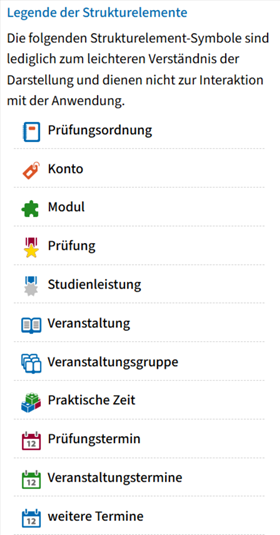
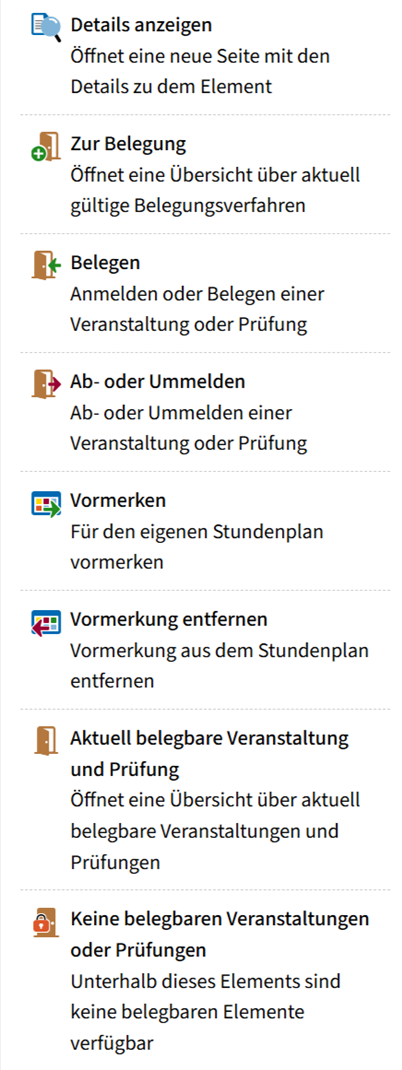
Search function - use the burger menu and search bar
Are you looking for a function and just can't remember where you found it last time?
You have two options for searching in eCampus:
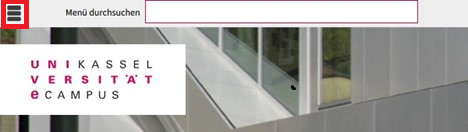
The burger menu ≡
This symbol, which you will find in the top left corner of the start page, is the burger symbol. Click on this symbol to open the menu.
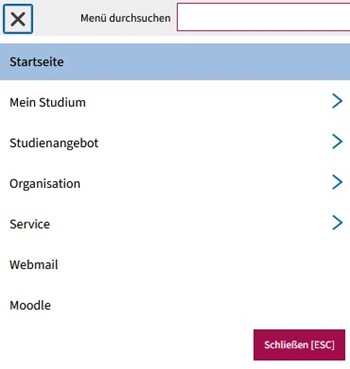
You can navigate through the eCampus using various sub-items.
The search bar
The search bar is a tool that helps you to navigate more quickly through the eCampus. However, the prerequisite for this is that you know what you are looking for or want to search for.
In this example, we are looking for the timetable. You do not have to write out the term.
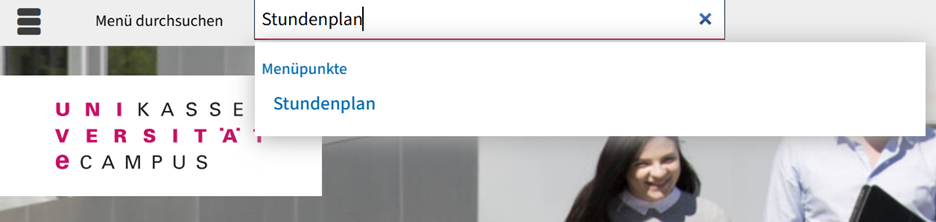
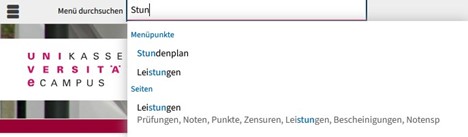
You can speed up the search considerably by working with shortcuts. Suitable menu items will then be displayed immediately.
Quicklinks on the homepage
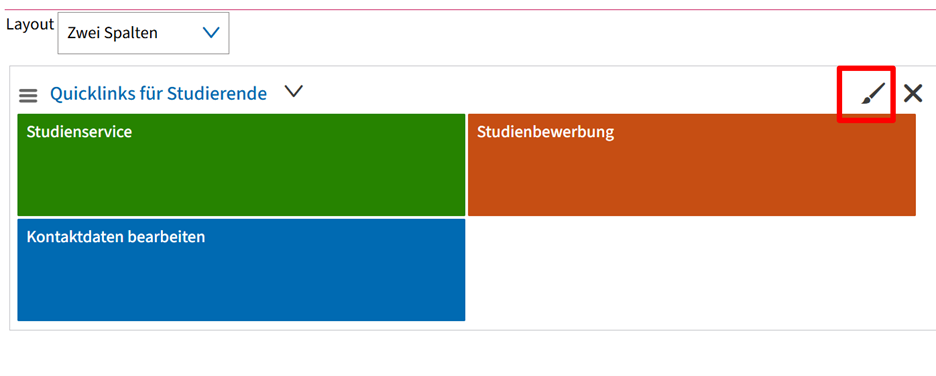
You may have already noticed the "Quicklinks" on the homepage directly after logging in. You can personalize these and adapt them to your personal needs.
This means you no longer have to click your way through the menu, but can go directly to the pages you need most with just one click.
And this is how it works:
(1) Click on the small brush symbol at the top corner of the "Quicklink box"
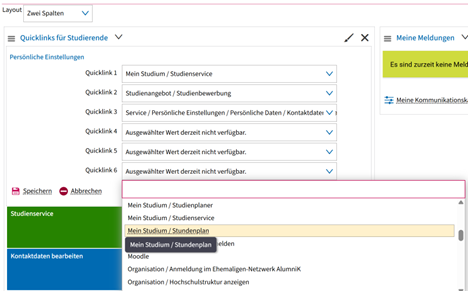
(2) A menu opens in which you can define/change/delete up to 6 quick links. After clicking on Save (bottom left), your selection will be displayed as another colorful tile on your start page.
(3) If you now click on one of the colored tiles, you will land directly on the corresponding page (e.g. your timetable or the module planner).
Go-Link
Go-Link of this page: https://www.uni-kassel.de/go/ecampus-allgemeine-funktionen