

Access for external users (without Uniaccount)
RocketChat accounts for external persons without a UniAccount (e.g. for external project partners) can be applied for as employees of the University of Kassel via Identity Management.
Requesting access for external persons - instructions for university employees
First go to Identity Management and log in with your Uniaccount <ukxxxxxxxx> and the corresponding password.
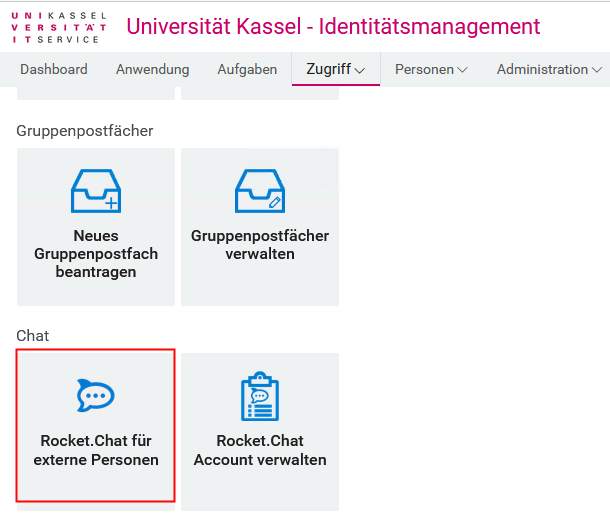
Then select "Request access" and click on "Rocket.chat for external persons".
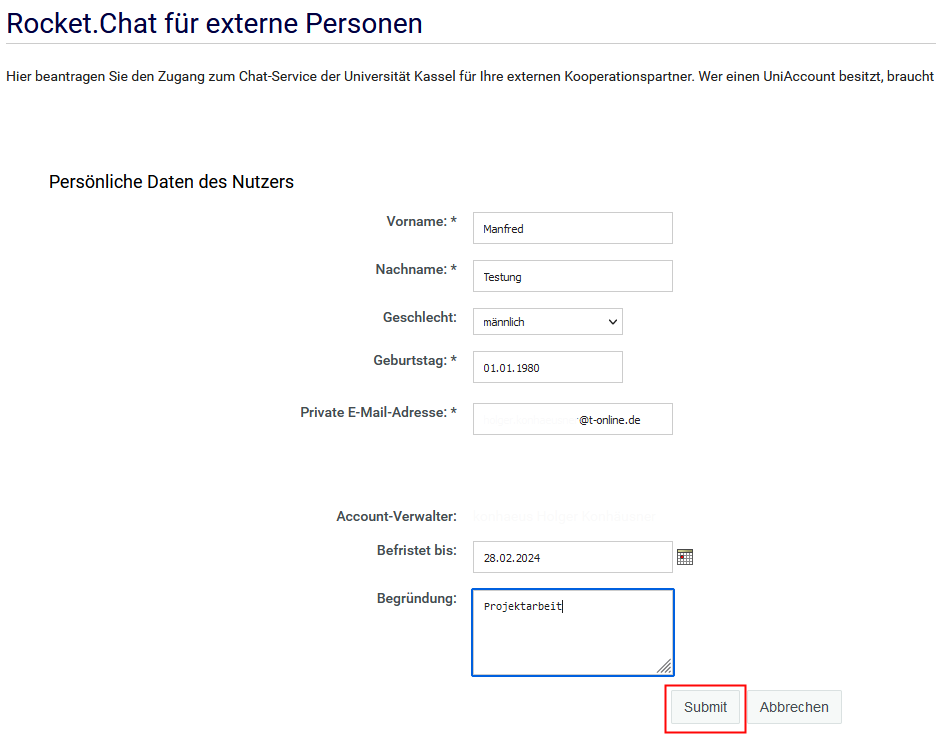
Now enter the name, e-mail address and date of birth of the external person. This information will be required later for registration.
Once all entries have been made, click on "Submit".
The request must now be approved by an administrator in ITS.
Once the external person has activated their account and logged in to Rocket.Chat, you can add them to the relevant teams and channels.
How to activate your access - information for external persons
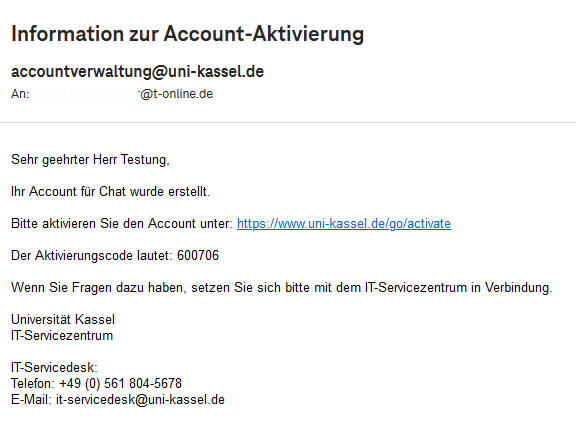
First, click on the link in the e-mail to activate your account.
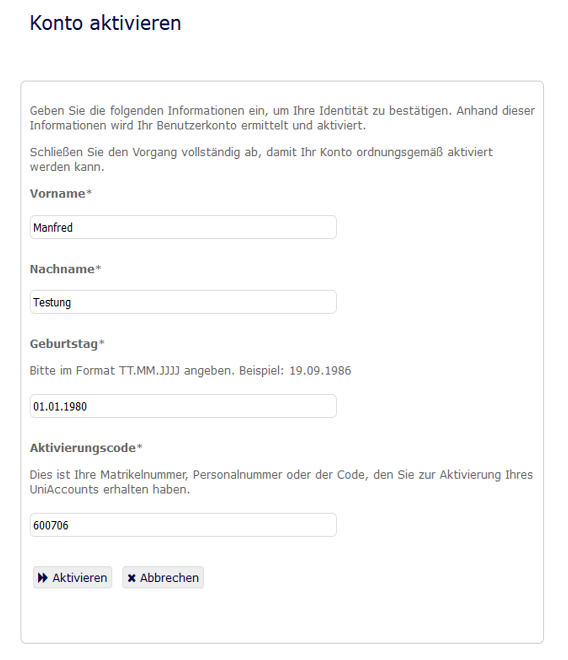
Enter your details and the activation code sent to you and click on "Activate".
If your registration is successful, you will see a confirmation window. You will then be asked to change your password.
Optionally, you can enter a mobile phone number for resetting your password in the next window.
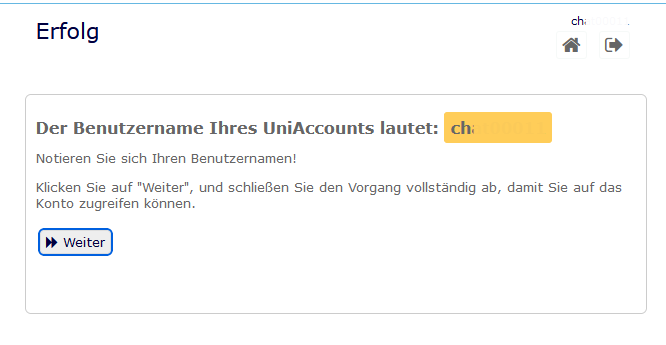
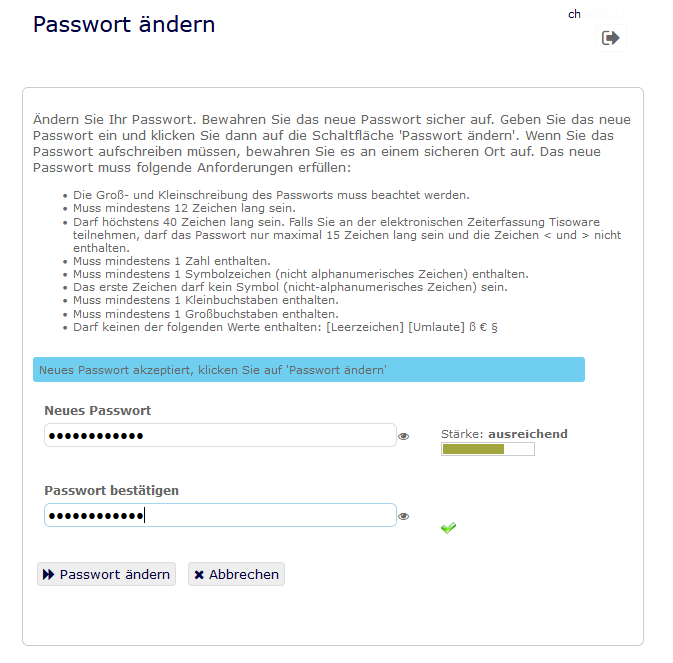
After completing the registration, you can log in to Rocket.Chat. Then log in with the person who requested the account for you. After this registration, you can be added to the corresponding teams or channels.
Go-Link of this page: https://www.uni-kassel.de/go/externer-rocketchataccount