

PK 1
Contents
Registration
PK1 is called up via the SAP GUI or WEB GUI. A valid PK1 account is required.
SAP GUI
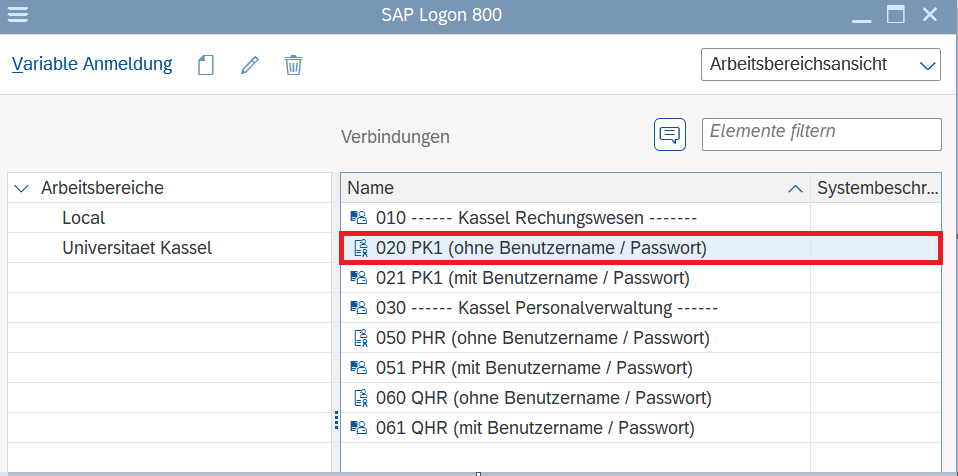
The SAP GUI is installed on devices that are managed by the ITS(UniKasselClients) and within the virtual desktop environment. Here you can log in via the entry "020 PK1 (without user name/password), so that no extra account data is required.
WEB GUI
The WEB GUI is called up via the browser and offers a simplified way of accessing the SAP system PK1. However, many functions are only available to a limited extent or not at all. We therefore recommend using the SAP GUI.
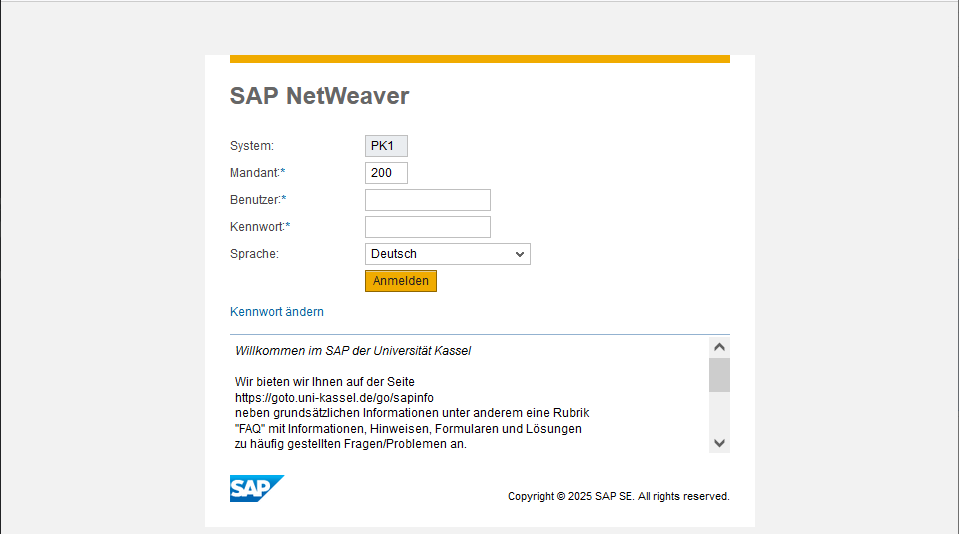
Over the next few years, the WEB GUI functions will be gradually replaced by modern SAP Fiori apps. With the changeover to S/4HANA (expected in 2027/2028), the Web GUI will be switched off completely.
Application
All employees of the University of Kassel have the opportunity to apply for PK1 access. The application is made via the Finance Department. Further information can be found on the website of the Finance Department.
Appropriate training is mandatory to activate the ordering system. The training dates are coordinated by the Personnel Development department. Training dates can also be found on the website of the Finance department.
Extension
If your PK1 account needs to be extended, please send an informal e-mail with your SAP account name and a request for an extension by the desired date to the Finance Department. You can find the relevant contact person on the Finance department website. Please put the respective cost center manager in CC. Please ensure that the request is made in good time to ensure uninterrupted use of the account.
Go-Link of this page: https://www.uni-kassel.de/go/pk1