

Instructions for carrying out a scan
To ensure that your device is free of viruses and other threats, you can run a manual scan with Sophos.
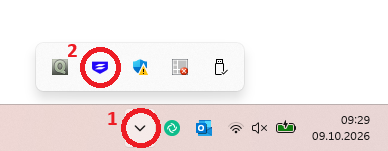
Click on the arrow pointing upwards in the taskbar to open the system tray menu. Then double-click the Sophos icon (blue shield).
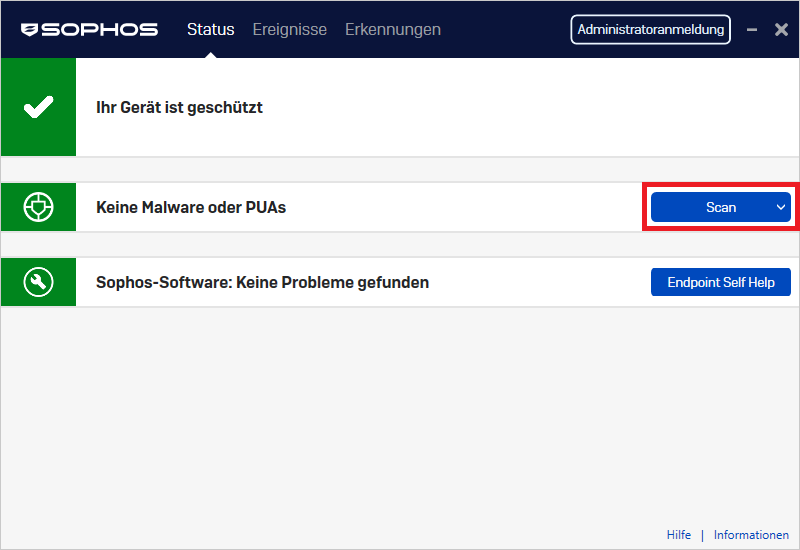
A window will open. Navigate to “No Malware or PUAs” and run the scan. To do this, please click the “Scan” button.
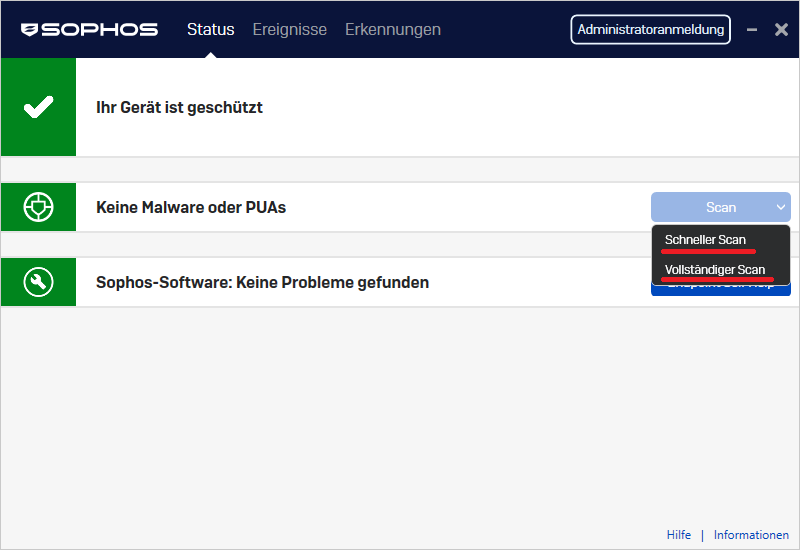
Depending on the type of scan you want to run, choose between "Quick Scan" and "Full Scan."
The progress of the scan is then displayed until it is complete.
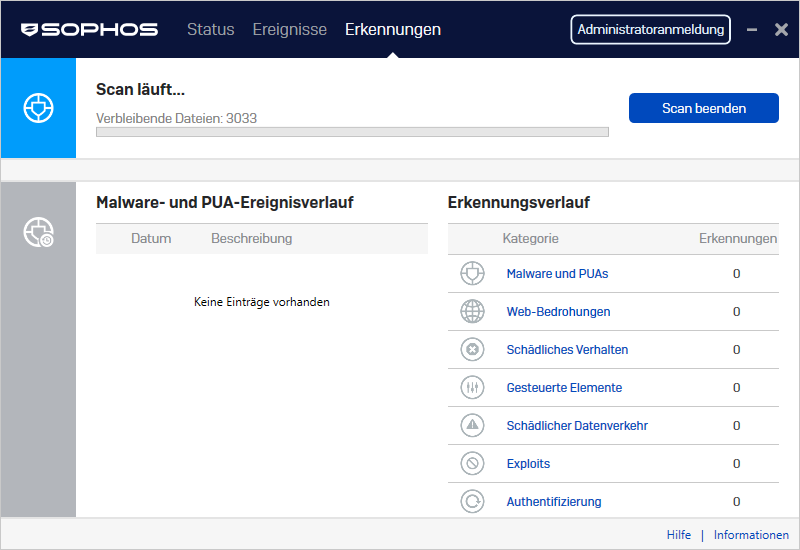
After completion, Sophos displays any findings. Follow the instructions to remove or quarantine threats.
Go-Link of this page: https://www.uni-kassel.de/go/sophos-scan