

Access to calendars in public folders via Outlook (Exchange)
Requesting a calendar or address book in public folders
To request a calendar or address book in the public folders, please use the corresponding contact form.
Note: In the new Outlook version for Mac, public folders are currently only available in legacy view. Please note that Microsoft plans to remove the legacy view in the future.
In addition, the reminder function is not available for public calendars. When trying to set a reminder, an error message is displayed.
Access to calendars in public folders via Outlook - Outlook 2024
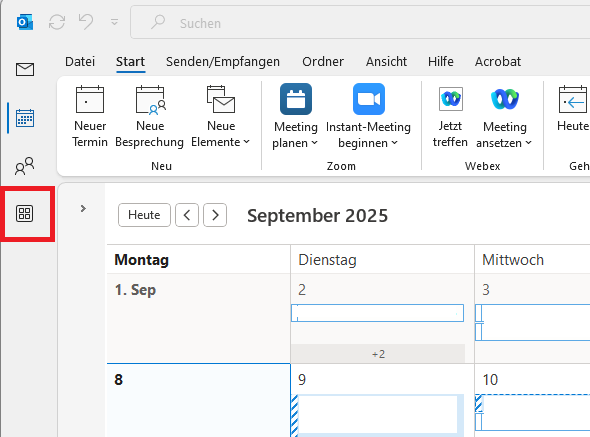
First open Outlook and click on "More apps" or the square icon with four more squares on the left-hand menu bar.
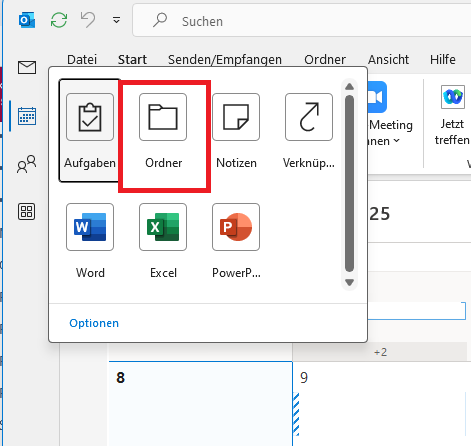
Then select "Folder".
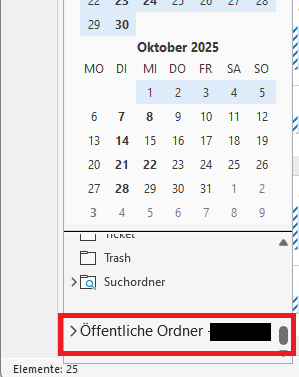
The "Public folders" area is now displayed in the left-hand menu bar. Expand the "Public calendars" entry using the small arrow symbol.
Note: If you have integrated several mailboxes, you will also see several public folders - select the appropriate mailbox.
Then expand the "All public folders" entry by clicking on the arrow symbol again.
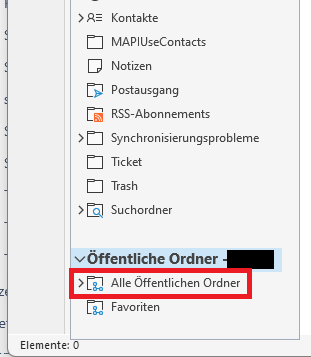
Open the folder of your department and navigate to the desired calendar.
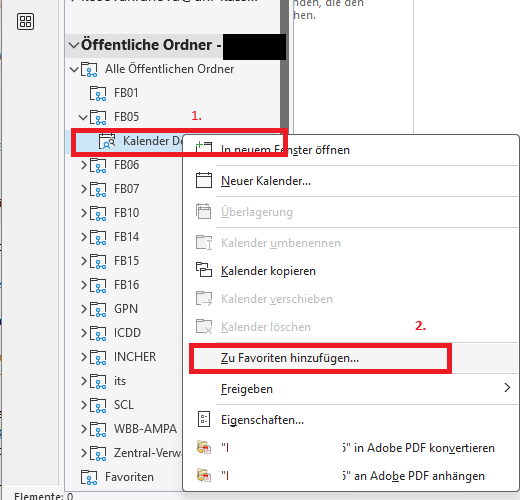
Right-click on the calendar and select "Add to favorites".
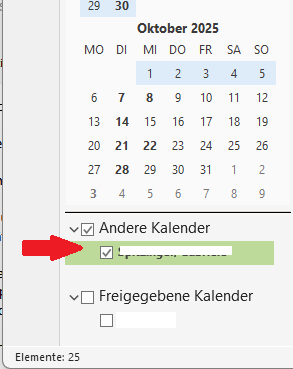
The public calendar can now be selected under the Calendar tab and is listed under "Other calendars" on the left-hand menu bar.
Access to calendars in public folders via Outlook - Outlook 2016
The steps are essentially identical to the instructions for Office 2024. Only the first step differs:
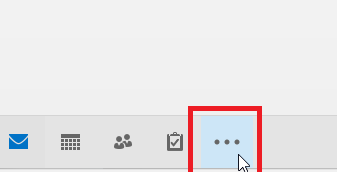
Click on the three dots at the bottom of the menu (instead of "More apps", as is the case with Office 2024)
Go-Link for this page: https://www.uni-kassel.de/go/zugriff-öffentlicher-ordner