

Timetable (old function - new location)
The timetable also provides an overview of your courses.
You can find the timetable here: Menu > My studies > Timetable
As you may have already noticed, the timetable is now in a new place in the menu. Together with the study planner and the module plan, it can now be found under the menu item "My studies". There you will find all the tools you need to plan your studies in one place.
Put together a timetable:
(1) The course catalog for the semester is available.
(2) Search for courses - possible ways:
- via the study planner
- via the module plan,
- via the course catalog,
- via the curriculum. Please note: Depending on the subject, this function may or may not be very well maintained (incomplete or empty display). If you are interested, please contact the program coordinator of the subject,
- via the global search function Search for courses
(3) Once you have found a suitable event,...
- click on the course title to find out more details, e.g. booking periods, content, services, etc.
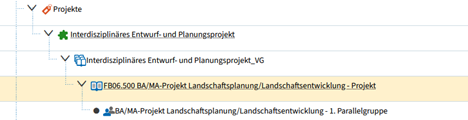
- Expand module > Click on Course(Important: NOT parallel group) > Show details > (Select the correct semester if necessary) > Mark for timetable (to the symbol overview)
- Example: Prebooking a course via the course catalog
- You can now reserve the course for your timetable
- Example: Prebooking a course via the course catalog
- In the course catalog: Click on the course
- In the detailed view: "Bookmark for timetable
- And don't forget: Prebooking does NOT mean registering, so don't forget step 4!
(4) Once you have the basic structure of your timetable, you now have to complete the booking within the deadline.
Go-Link of this page: https://www.uni-kassel.de/go/ecampus-stundenplan