

Connecting a device to the university network via LAN connection
The content on this page was translated automatically.
General information
The University of Kassel offers a comprehensive campus network that allows you to connect to other devices and the Internet.
If you are an employee and wish to connect to the university network via a LAN connection, you must submit a request for access to the university network. Please use our online form to request a network connection and an IP address for your device from the IT Service Center. All university members and other authorized individuals are eligible in accordance with the IT User Policy.
Please no longer use the .pdf form “Application for Connection to the University Network” to request changes to your network connection. Please use only the online form linked here.
Important Notes:
- Individual requests: Please submit a separate request for each new device.
- Bulk Requests: If you wish to connect multiple devices, you may do so in consultation with the ITS.
The information in the online form helps us streamline communication and support and expedite installation and troubleshooting. Please fill out all relevant sections completely. If you have any questions or need clarification, please contact ITS beforehand, as incomplete information may cause delays.
Please also note the Terms of Use for the Information Processing and Data Communications Infrastructure.
Assigned connections and IP addresses are not valid indefinitely. As part of inventory procedures, you will be asked at irregular intervals to confirm your continued use of connections and IP addresses.
If you do not respond, the registration of your connection or IP address will expire after an additional 6 months. For this reason, it is important that you report any changes to your personal information to ITS.
Help for filling out the online form
Call up the online form and log in with your UniAccount.
- Select the category of your request at the top.
- Select "Assign an IP address" if you want to connect an end device that has not yet been used within the university network/which has not yet been assigned a static IP address.
- Select "Activation of a network connection" if you want to change the port switching on one/several PPS (e.g. FB move/other VLAN is required/new socket installed).
- Select "Relocation of a computer" if you want to connect a terminal device that has already been assigned a static IP address within the university after a relocation.
- Then enter your contact details.
- Enter the required data under "Information about the computer or connection". An explanation of the data for"Box number" and"Port details" can be found in the section"Cable channel switch (KKS)".
- If necessary, enter the required data under"Subnet" and"Subnet domain". An explanation of the data can be found in the section"IP address and VLAN/subnet".
- Select your device type.
- Enter the MAC address of the end device.
- Under Windows, you can find this out by opening the "Command Prompt" program, e.g. via the search bar, and entering the command "ipconfig /all". The "Physical address" entry in the "Ethernet adapter Ethernet:" area shows your MAC address.
- If your device already has an IP address from the university address range (141.51...), please enter it here.
- Under Windows, you can find out the address by opening the "Command Prompt" program, e.g. via the search bar, and entering the command "ipconfig /all". The "IPv4 address" entry in the "Ethernet adapter Ethernet:" area shows your IP address.
- If you have any further comments on your application or a non-standard network configuration at your workstation, please add additional comments in the free text field.
Cable duct switch (KKS)
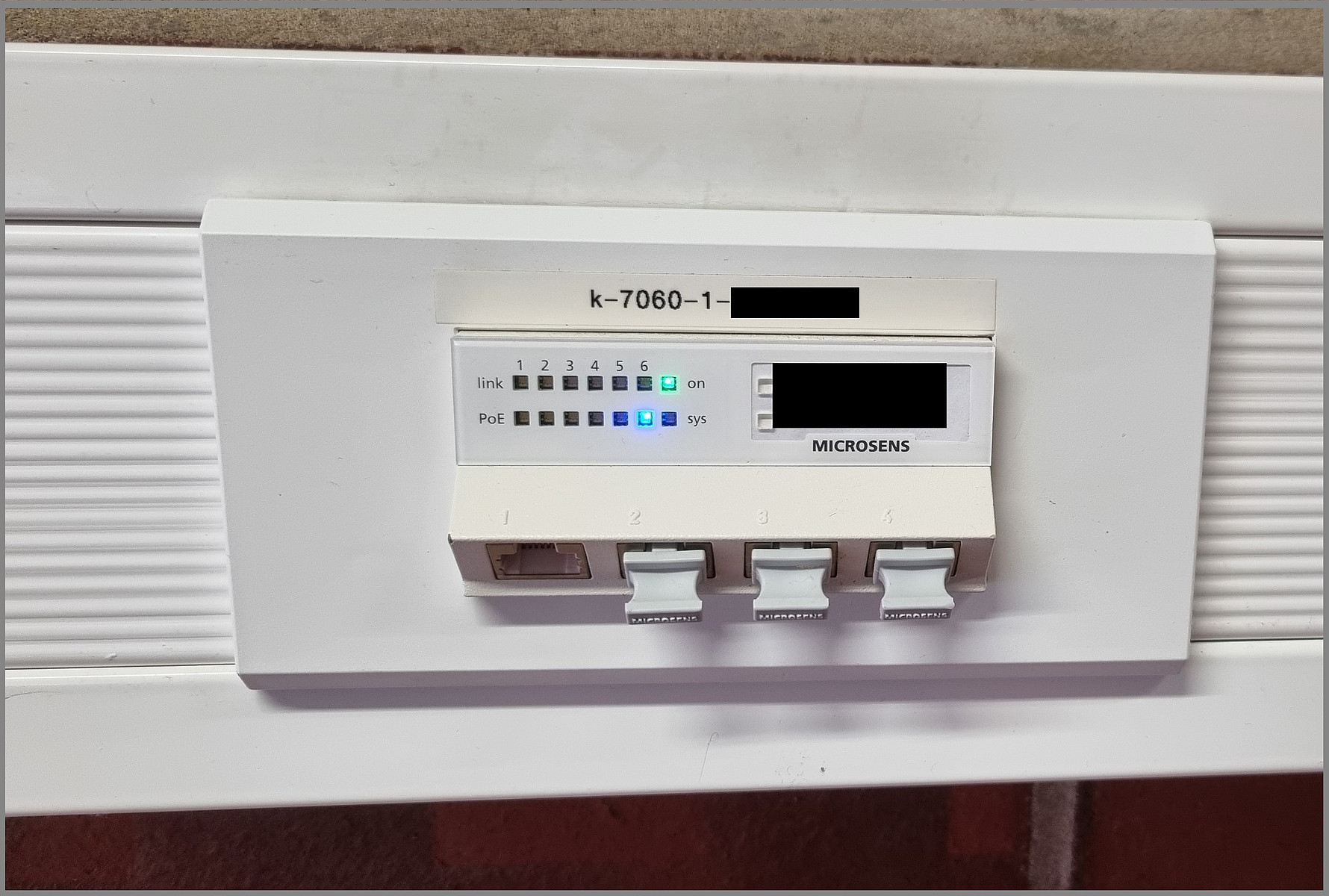
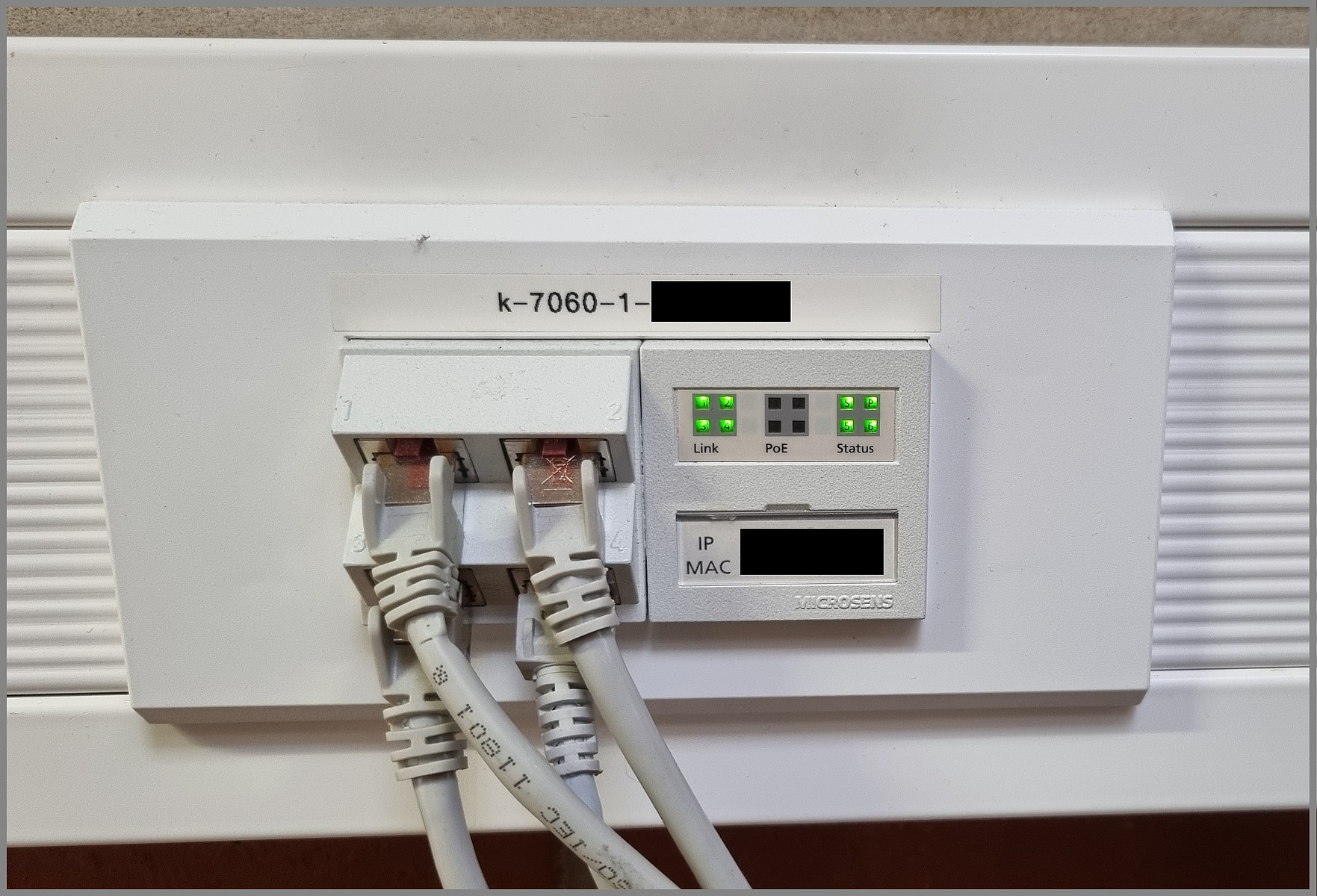
The connection point in the office is typically a so-called cable duct switch (KKS). This normally consists of 4 (visible) ports, either next to each other or one above the other.
The number of the KKS can be seen above the ports. This always begins with k-building number-floor number. If you contact the IT service desk in the event of a network fault, please always state the KKS number and the affected port.
Before you connect a terminal device to a KKS, it is necessary to have the affected socket switched accordingly. Please use our online form for this purpose.
This applies not only to newly purchased end devices, but also to end devices that move within the university.
IP address and VLAN/subnet
Each end device requires a unique IP address in order to connect to the Uninetz. This address can either be assigned to the device dynamically via DHCP or a fixed address must be entered manually. In this case, it is a static IP address.
The IP addresses of the University of Kassel are always in the address range "141.51.XXX.XXX".
The third octet of the IP address (141.51.XXX.XXX) describes the VLAN/subnet in which the connected device is located. Most institutions/departments have one or more subnets of their own, which enable access to internal resources/devices, for example.
As either static or dynamic IP addresses are used depending on the subnet, it is important that you specify the required subnet in the online form when applying for a new IP address or when moving to another area. If you do not know the required subnet, please contact the IT coordinator in your department.
If the device in question is to be included in a subnet domain (e.g. mathematik.uni-kassel.de), please also indicate this in the online form. Your IT coordinator can also help you with any questions.
Go-Link of this page: https://www.uni-kassel.de/go/uninetz