

Installing Sophos on Linux
Prerequisites: Root privileges, a supported Linux distribution
(see Sophos documentation -> "System requirements"), and the curl package installed.
The graphical user interface varies depending on the Linux distribution and desktop environment.
Option A: Installation via the graphical user interface
1. Click the "Download Sophos" link and download the "SophosSetup for Linux and Linux Server" file.
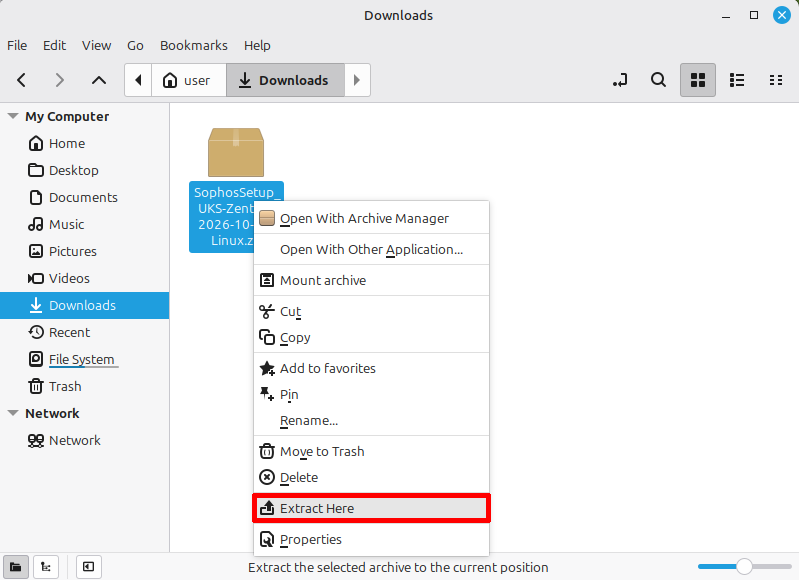
2. Open the Downloads folder and unzip the ZIP file.
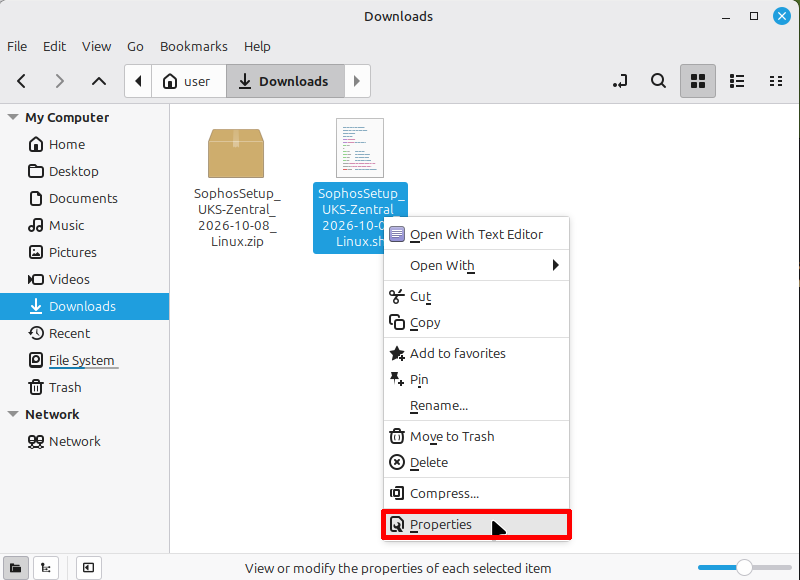
3. Right-click the installation script and open its Properties.
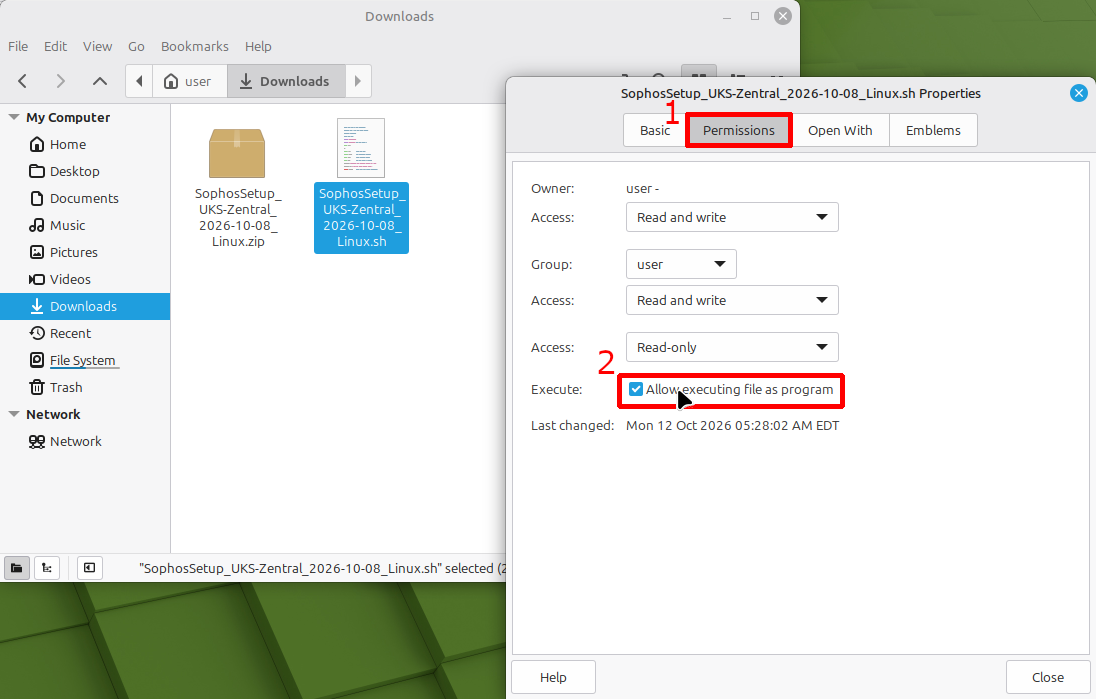
4. In the Properties window, look for the Permissions section and mark the file as executable, if this option is available. If you cannot set this property using the graphical interface, please use Option B.
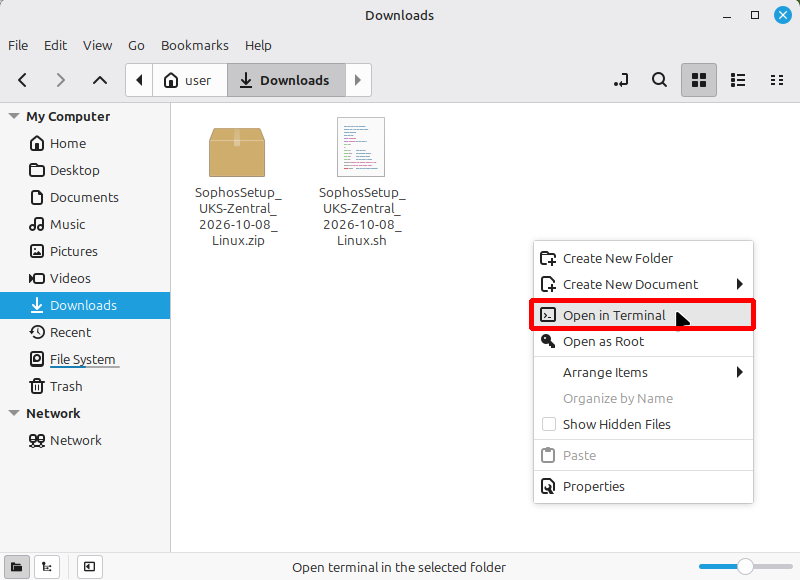
5. Right-click in an empty area of the folder to open a terminal. Depending on your Linux distribution and desktop environment, you can find this option in the folder's context menu. If it's not there, open a terminal and use `cd` to navigate to the folder.
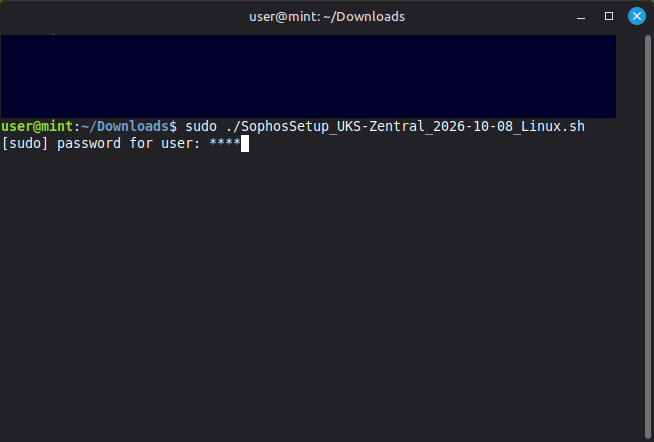
6. Start the installation by running `sudo ./SophosSetup_UKS-Zentral_202X-XX-XX_Linux.sh`.
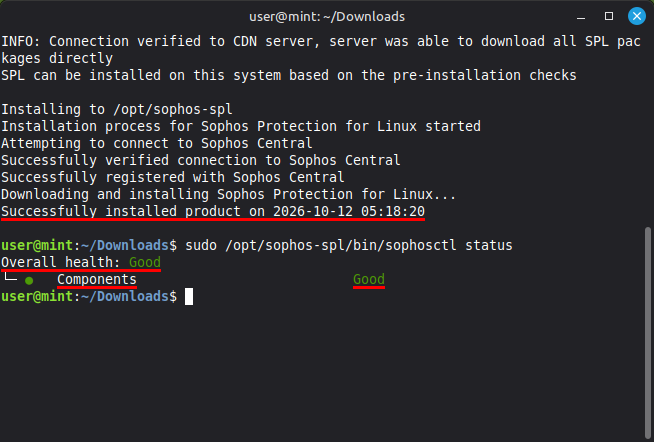
7. Once the installation is complete, verify it using `sudo /opt/sophos-spl/bin/sophosctl`. Expected output: Overall health: Good and Components: Good.
Option B: Installation via the Terminal
1. Click the " Download Sophos " link and download the file "SophosSetup for Linux and Linux Server."
2. Open the Downloads folder in Terminal.
3. Extract the ZIP file using the command `unzip SophosSetup_UKS-Zentral_202X-XX-XX_Linux.zip`.
4. Make the script executable: `chmod +x SophosSetup_UKS-Zentral_202X-XX-XX_Linux.sh`.
5. Start the installation with `sudo ./SophosSetup_UKS-Zentral_202X-XX-XX_Linux.sh`.

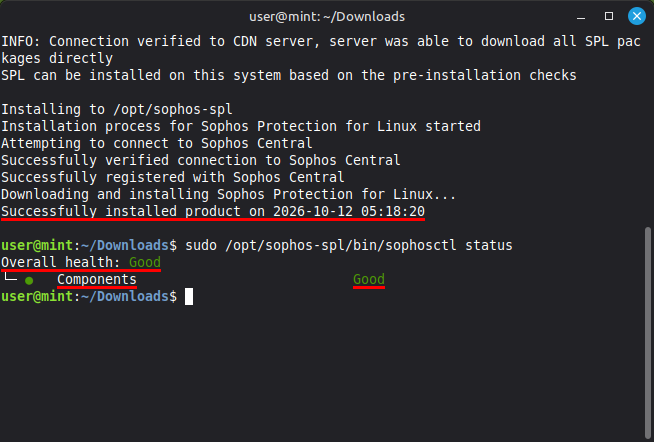
6. After successful completion, verify the installation using `sudo /opt/sophos-spl/bin/sophosctl`.
Expected output: "Overall health: Good" and "Components: Good".
Go-Link for this page: https://www.uni-kassel.de/go/sophos-linux