

Login to the Zoom client
The content on this page was translated automatically.
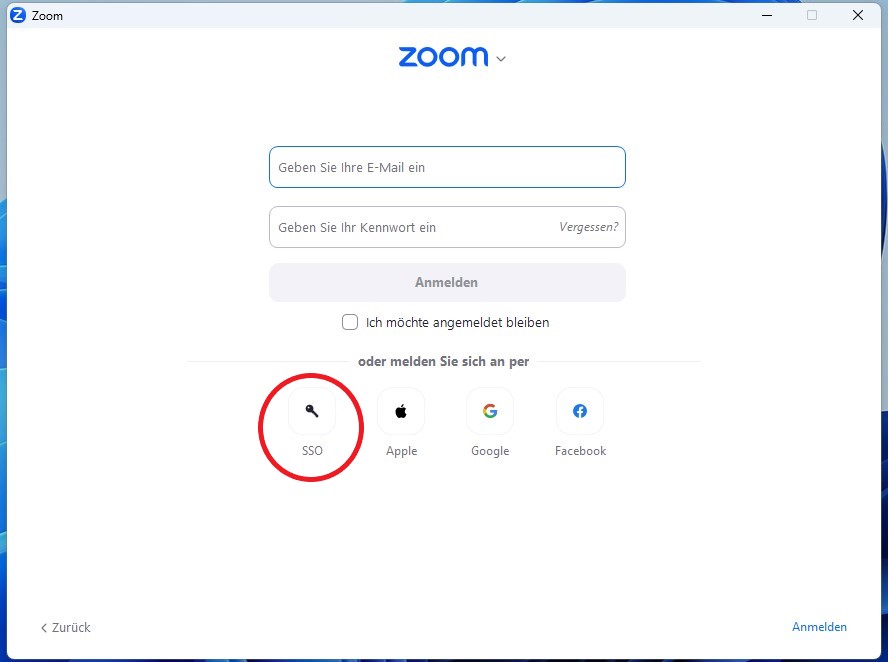
Once you have installed and started the Zoom client on your Windows or macOS device, select the "SSO" (Single Sign-On) option at the bottom left of the start page.
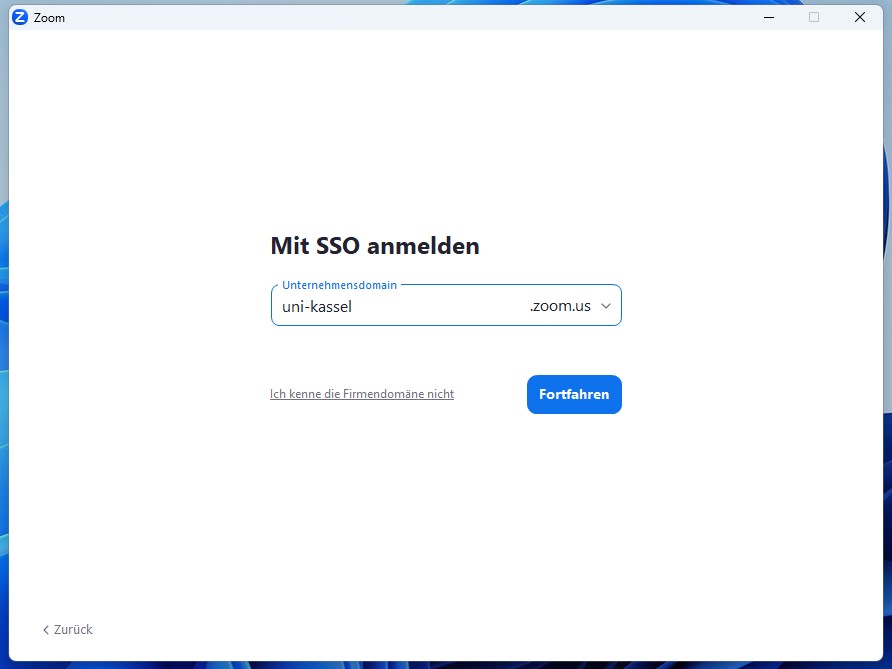
A new window will open in which you enter <uni-kassel> in the "Company domain" field. Then click on "Continue".
In the next step, log in with the access data of your university account. Enter your user name <ukxxxxxx> and the corresponding password and confirm your entry by clicking on "Login".

Once you have successfully logged in, you will be taken to the Zoom client start page, where you can access all functions such as scheduling meetings, joining meetings or managing settings.
