

eduroam under MacOS
This page contains automatically translated content.
On this page you will learn how to integrate the eduroam WLAN manually under MacOS.
Prerequisites
- Valid UniAccount
- Mac with Wi-Fi support
Setting up the "eduroam" WLAN connection
Select eduroam from the list of available networks.
In the next step, log in with your UniAccount, e.g. uk012345@uni-kassel.de(not...@student.uni-kassel.de) and your UniAccount password.
Then click on "Connect" to establish a connection to the eduroam WLAN.
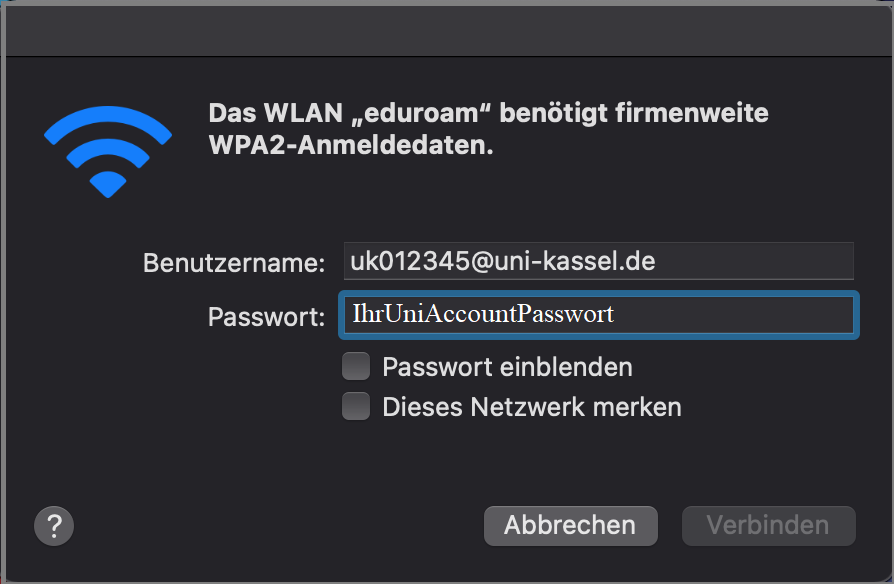
In the next step, confirm the certificate displayed to you by clicking "Continue".

In the last step, enter your Mac's system password to confirm the change to the system settings for certification.
Then click on "Update settings".
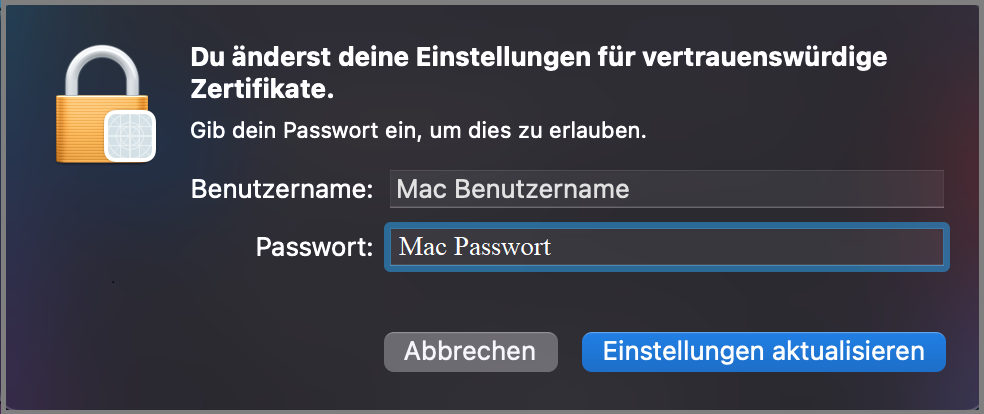
The connection to the eduroam WLAN is now established automatically.