

Event overview
The content on this page was translated automatically.
Contents
My functions - My events
Click on "My courses". The semesters in which you have saved enrolments are listed. (For some procedures, registrations from older registration procedures are deleted).
The rejected enrolments are only listed in the semester that you have set. So if you want to see all assignments in an older semester, first click on the semester in the top right-hand corner and set the desired semester.

Click on "Click for more information" There are 3 booked events.

- The student has registered for this course with a low priority and has been admitted to a course with a higher priority than a more popular one.
- The registration for this course was canceled by the lecturer/department.
- The student was admitted to this course

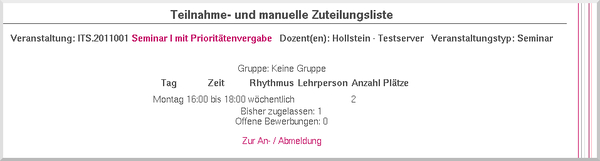
Click on "Occupancy information". The number of permitted and open occupancies is displayed.

The number of permitted and open occupancies is displayed.
My functions - My evaluations
You can also display an overview as a PDF file:
Click on "Occupancy data".

A PDF file is generated that lists all assignments sorted by status. The priorities and the module/bundle abbreviation are also output.
