

Group mailbox Thunderbird
The content on this page was translated automatically.
The exact illustrations of the individual steps in the instructions may vary slightly depending on the Thunderbird version.
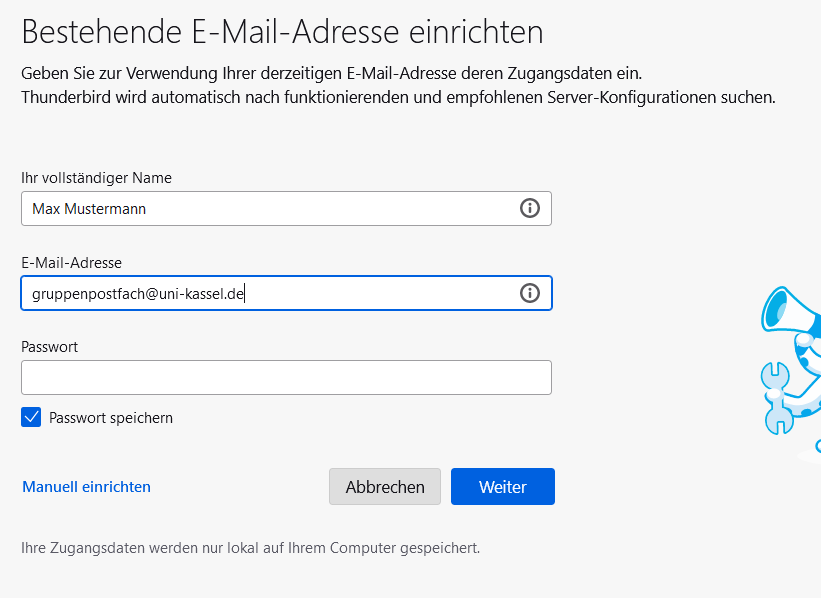
Click on the three dashes at the top right and then on "New account" and "Email" so that the following login screen appears.
Enter your desired name and the e-mail address of the group mailbox <e.g. gruppenpostfach@uni-kassel.de>. Leave the "Password" field blank.
As soon as the e-mail address of the group mailbox has been filled in, the "Set up manually" button appears.
Complete the manual settings as follows:
- Enter mail.uni-kassel.de as the host name for the incoming and outgoing mail server.
- Enter your UniAccount followed by @uni-kassel.de as the user name in the incoming mail server. Then enter a backslash \ and enter the name of the group mailbox followed by @uni-kassel.de, e.g. < ukxxxxxx@uni-kassel.de\smxxxxxx@uni-kassel.de >.
- Now delete the backslash and the e-mail address of the group mailbox in the outgoing mail server for the user name so that only your UniAccount followed by @uni-kassel.de remains (i.e. ukxxxxxx@uni-kassel.de).
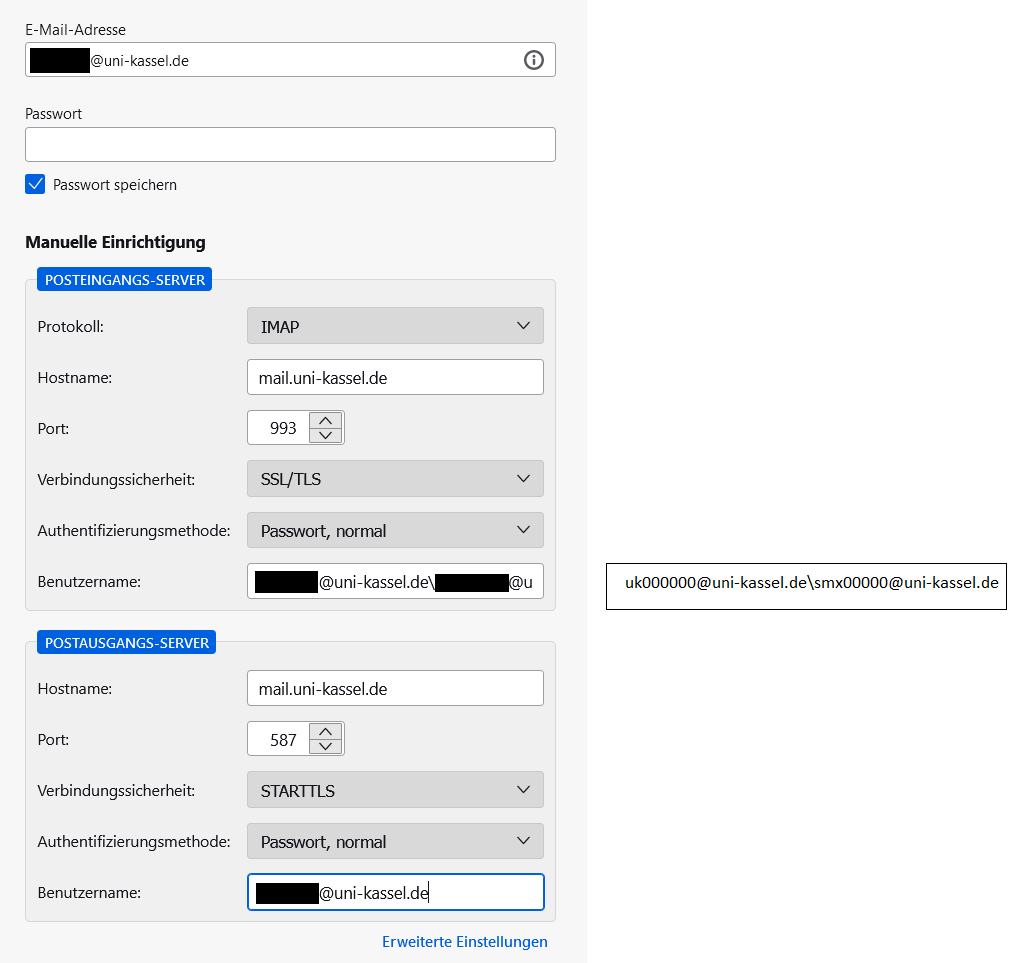
Then click on "Done" and enter the password of your UniAccount < ukxxxxxx > in the pop-up window. The group mailbox is now integrated.
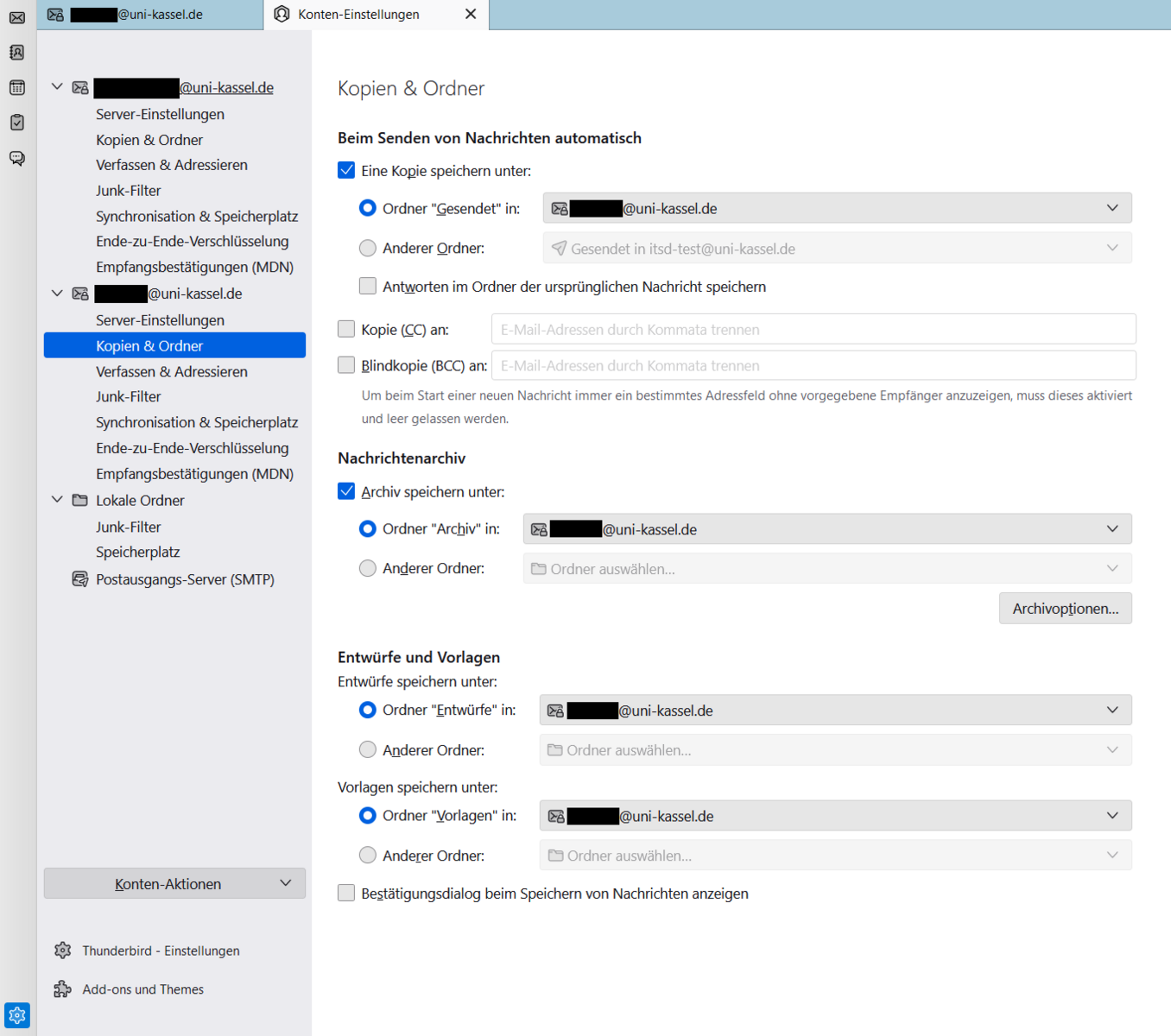
After integrating the e-mail account, please check the correct folder assignment. To do this, click on "Account settings" in the top right-hand corner.
Now click on "Copies & folders".
Please check that the sent emails are stored in the "Sent items" folder on the @uni-kassel.de email account and change the settings if necessary.
Drafts should be stored in the "Drafts" folder on the @uni-kassel.de mail account . The templates should also be stored in the "Templates" folder on the @uni-kassel.de mail account.
Next, check whether the deleted mails are also stored in the "Deleted items" folder on the @uni-kassel.de mail account.
To do this, please click on "Server settings" and look in the section "When deleting a message".
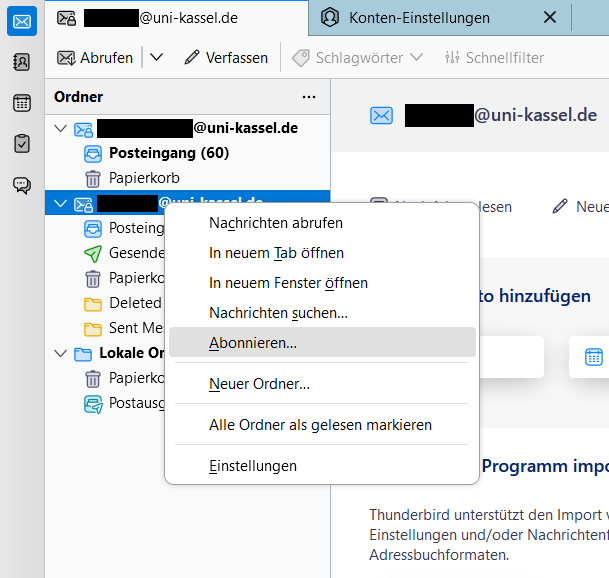
If not all folders are displayed, it is necessary to subscribe to the corresponding mailbox. To do this, right-click on the relevant mailbox and click on "Subscribe".
You can then subscribe to the subfolders of the mailbox, such as <Sent items>.
Go-Link of this page: https://www.uni-kassel.de/go/gruppenpostfach-thunderbird