

Delete Outlook login information
The content on this page was translated automatically.
A common problem when logging in to Outlook is that incorrect login information is stored on the device.
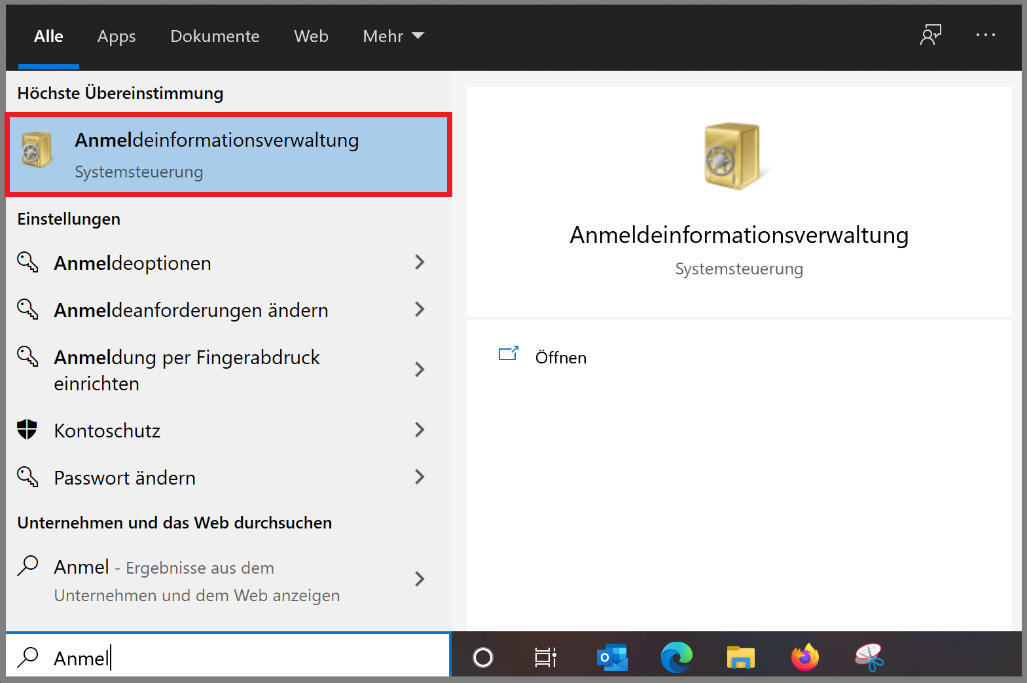
First call up the logon information management. To do this, enter "Logon Information Management" in the search field in the taskbar or in the Windows settings search field.
After starting the logon information management, the following window appears. Click on "Windows logon information" here.
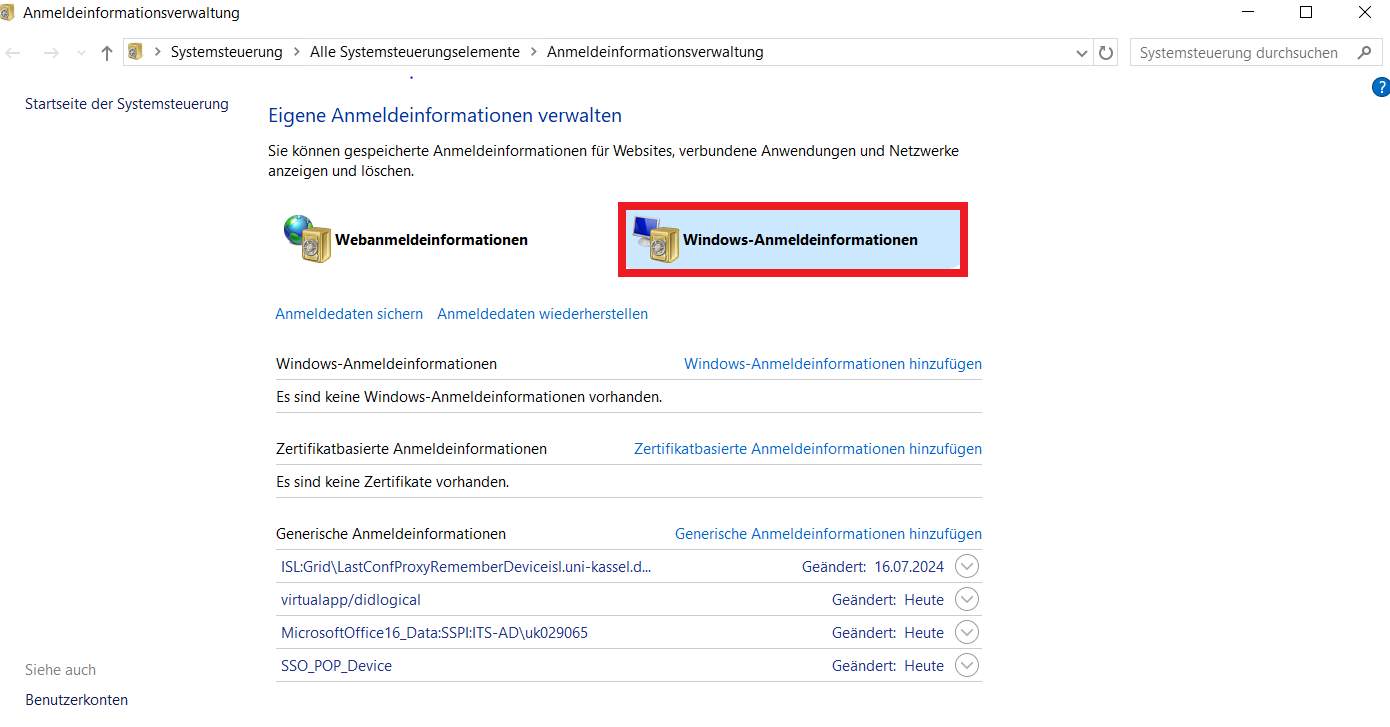
Click on the downward-pointing arrow to the right of "mail.uni-kassel.de" and then on "Remove".

Note:
Don't worry: as soon as you log in again, the login information will be recreated.
Go-Link of this page: https://www.uni-kassel.de/go/anmeldeinformationen-Outlook